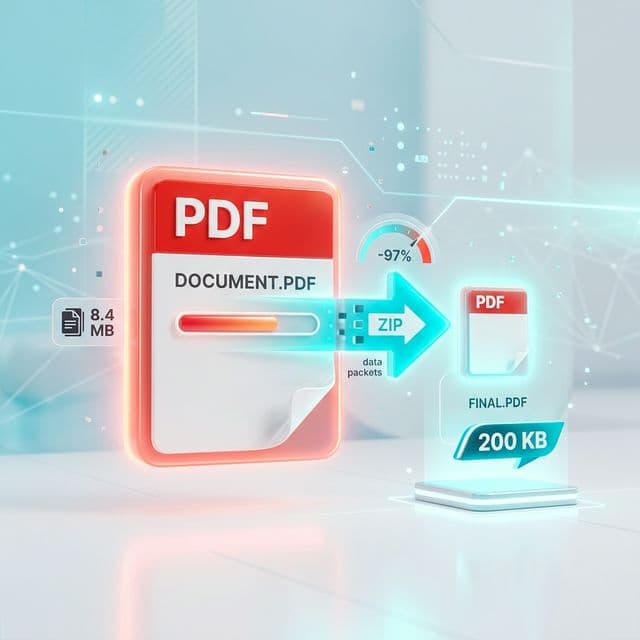
There’s a very specific kind of frustration that only happens during online applications.
You’ve filled everything correctly.
Uploaded all required documents.
Double-checked every detail.
And then—
That one line stops everything.
You look at your file.
It’s 1.8 MB. Or 900 KB. Or sometimes even 300 KB—which still isn’t enough.
And suddenly, what should have taken five minutes turns into a long, frustrating process of trying different tools, compressing again and again, and hoping the quality doesn’t get ruined.
If you’ve been through this, you’re not alone.
This guide is for exactly that situation.
Why 200KB Limits Exist (And Why They’re So Strict)
Many job portals and government websites have strict file size limits.
You’ll often see requirements like:
- Resume: under 200KB
- Photo: under 50KB
- Signature: under 20KB
At first, it feels unreasonable. But there’s a reason behind it.
These systems:
- Handle thousands (sometimes millions) of applications
- Need to store data efficiently
- Are often built on older infrastructure
Smaller file sizes reduce storage usage, improve upload speed, and keep systems stable.
So the restriction isn’t random. But that doesn’t make it easier for users.
Why Your PDF File Is So Large
Before compressing, it helps to understand why your file size is high.
Common reasons include:
1. High-Resolution Images
If your PDF contains scanned documents, photos, or signatures, they often increase file size significantly.
2. Multiple Pages
More pages = more data. Even simple documents can become large when combined.
3. Unoptimized Export Settings
If you created your PDF from Word, Canva, or design tools, default export settings may not be optimized.
4. Embedded Fonts & Graphics
Some PDFs include extra data like fonts, layers, and hidden elements. All of these add weight.
The Real Challenge: Size vs Quality
Here’s the problem most people face:
- 👉 You reduce size → quality drops
- 👉 You keep quality → size stays large
So the goal is not just compression. It’s:
Reducing file size without making the document unreadable.
What Happens When You Compress a PDF?
When you compress a PDF:
- Images are reduced in resolution
- Unnecessary data is removed
- File structure is optimized
A good compression keeps text readable, maintains clarity, and reduces size effectively.
A bad compression blurs text, distorts images, and makes documents unusable.
Step-by-Step: How to Compress PDF to 200KB
Let’s go through a practical method that actually works.
Step 1: Start With a Clean File
Before compressing, remove unnecessary pages, crop extra margins, and keep only what’s required. Smaller input = better output.
Step 2: Check Current File Size
Know your starting point. (e.g., 1 MB needs heavy compression, 400 KB needs moderate compression). This helps set expectations.
Step 3: Use a Reliable Compression Tool
Choose a tool that allows control over compression level, maintains readability, and doesn’t over-compress blindly.
Step 4: Apply Gradual Compression
Instead of compressing once aggressively, do a first pass to reduce size moderately, then a second pass to fine-tune. This gives better results.
Step 5: Check Quality
Always open the file and check text clarity, image visibility, and overall readability.
Step 6: Repeat If Needed
If the file is still above 200KB, adjust settings and try slightly stronger compression.
Cloud Tools vs Browser-Based Tools
This is something most users don’t think about—but it matters.
PDF Compression Methods Compared
| Feature | Cloud-Based Tools | Browser-Based Tools (AuraFile) |
|---|---|---|
| File Upload | Required | Not required |
| Processing | External server | Your device |
| Speed | Depends on internet | Instant |
| Privacy | Files leave your device | Files stay local |
| Storage Risk | Possible | None |
| Control | Limited | Full |
Why Uploading Documents Can Be Risky
Think about the type of PDFs you upload for applications:
- Resume
- Aadhaar copy
- Certificates
- Bank details
These are sensitive documents. Uploading them to unknown servers means you don’t control storage, you rely on platform policies, and there’s always some risk.
Tips to Successfully Reach 200KB
Getting exactly 200KB can be tricky. Here are practical tips that actually work:
1. Convert Images Before PDF
If your PDF contains images, compress the images first, then create the PDF.
2. Use Black & White for Scans
Color scans increase size drastically. Use grayscale or black & white instead.
3. Reduce Resolution
300 DPI is too high for uploads. Use 100–150 DPI instead.
4. Avoid Multiple Scans
Scanning the same page multiple times increases size.
5. Split and Rebuild
If needed, split the PDF, compress parts individually, and merge them again.
Common Mistakes That Increase File Size
- ❌ Using High-Quality Export by Default (not needed for job portals)
- ❌ Scanning in Color Unnecessarily
- ❌ Repeated Compression (can reduce quality too much)
- ❌ Using Random Tools (some over-compress blindly)
What If You Still Can’t Reach 200KB?
Sometimes, it’s genuinely difficult. In such cases:
- Reduce image size further
- Remove unnecessary elements
- Recreate the PDF with optimized settings
And remember: Not all documents need to look perfect—they need to be readable.
A Better Way to Handle It
With tools like AuraFile, you can compress PDFs instantly without any upload required. You have full control over your file, making the process faster, safer, and more reliable.
Final Thoughts
The 200KB limit is frustrating. But it’s also manageable—once you understand how compression works. Instead of trying random tools and hoping for the best, follow a structured approach, use the right methods, and focus on readability.
Because at the end of the day: Your document doesn’t need to be perfect—it needs to be accepted.
Try It Yourself
Compress your PDF instantly to meet strict size limits without uploading it anywhere. Fast, simple, and private.
Compress PDF Now →About the Authors
Dhivya
Content Contributor
Dhivya is a content creator who writes about technology, productivity, and practical digital solutions. She focuses on solving real-world problems with simple and effective approaches.