Performance is not a feature. It is a baseline.
A file processing tool that loads slowly undermines the trust it needs to handle users' sensitive documents. And beyond user perception, page performance is a direct Google ranking signal — which makes it doubly critical for any web application seeking organic search visibility.
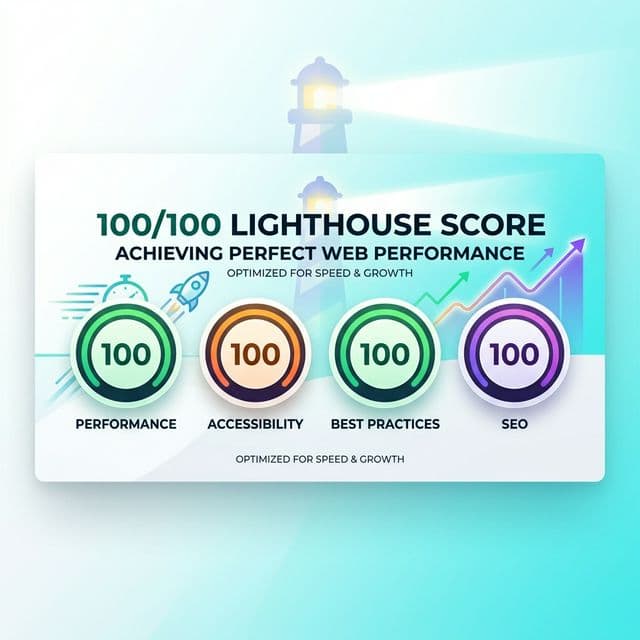
This article documents the specific technical decisions that enable AuraFile to achieve a perfect 100/100 Lighthouse score across Performance, Accessibility, Best Practices, and SEO.
Understanding What Lighthouse Actually Measures
Lighthouse evaluates a page against four categories:
| Category | Key Metrics | Target |
|---|---|---|
| Performance | LCP, INP, CLS, FCP, TTFB | 90–100 |
| Accessibility | ARIA attributes, contrast, labels | 100 |
| Best Practices | HTTPS, console errors, image aspect ratios | 100 |
| SEO | Meta tags, crawlability, canonical URLs | 100 |
Our Foundation: Static Generation — No Server Work Per Visitor
We built AuraFile on Next.js 15's App Router and made a deliberate architectural choice early on: every page that doesn't need to be dynamic gets statically generated at build time.
That means when you visit /compress-image or /merge-pdf, you're not waiting for a server to run any code. You get a pre-built HTML file served from Vercel's global CDN edge — typically with a Time to First Byte under 50ms. Speed before the browser even starts rendering.
Why We Chose Static Over SSR
- Zero per-request compute: No database queries, no server rendering — the HTML already exists.
- True CDN caching: Our pages serve from an edge node close to wherever you are in the world.
- Consistent FCP: We know exactly how fast First Contentful Paint will be, because nothing is waiting for a backend.
Eliminating Layout Shift: Getting CLS to Zero
Cumulative Layout Shift was the metric that surprised us most in early audits. Even tiny things — an image loading without reserved dimensions, or a font swapping in — would send our score sideways.
Our Image Reservation Fix
Every image on AuraFile goes through the next/image component with explicit width and height props. This gives the browser the information it needs to reserve the exact right amount of space before the image arrives — no pop-in, no shift.
How We Handled Fonts
Custom fonts were our other CLS culprit. We moved to next/font/google with display: 'swap'. Next.js downloads them at build time and serves them from our own CDN — no external DNS lookup, no font loading race, no flash of unstyled text.
LCP: Why We Chose Text Over a Hero Image
LCP measures how quickly the biggest visible element in the viewport renders. Hero images are one of the most common LCP problems we see across the web.
We made a deliberate call: our homepage hero is text-based, not image-based. The LCP element is CSS-rendered typography — it's already in the HTML, it doesn't need to be fetched, and it's not going to be slow.
On Pages Where Images Are the LCP Element
Blog posts are different — the hero image genuinely is the biggest viewport element there. For those, we add the priority prop to next/image, which injects a <link rel="preload"> into the <head>. Your browser starts fetching the image in parallel with everything else, rather than waiting to parse down to the <img> tag.
Keeping Our JavaScript Bundle Small
Every kilobyte of JavaScript a browser downloads has to be parsed and compiled before a page becomes interactive. We took this seriously from the start.
Dynamic Imports for Our WASM Tools
Our file processing tools use WASM modules that can be several megabytes. Loading those on marketing pages would be absurd. Instead, we use Next.js's dynamic() with { ssr: false } — the WASM only loads when you actually navigate to a tool and need it. The marketing shell stays tiny and instant.
Tree Shaking Keeps Things Tidy
Because we write in ES modules throughout, Next.js's bundler can automatically drop any imported code that's not executed on a given page. As our codebase grows, the bundle for each individual page stays lean — without us having to manually audit what's included.
Serving the Right Image Format to Every Browser
We let next/image handle format negotiation automatically. Depending on what your browser declares in its Accept header, you get:
- AVIF for Chrome and Edge (40–50% smaller than JPEG at the same quality)
- WebP for Firefox and other browsers
- JPEG/PNG as a fallback for anything that doesn't support the above
That hero image sitting at 800KB as a JPEG? Chrome users get it as a 180KB AVIF. That difference alone has a measurable impact on LCP.
Accessibility: 100 Isn't Optional for Us
We target a perfect accessibility score not because it looks good in audits, but because it reflects how we think software should be built. Concretely, this means:
- Every interactive element has a descriptive
aria-label - Our colour contrast ratios meet the 4.5:1 minimum for normal text throughout
- All images have meaningful
alttext (oralt=""for purely decorative ones) - Forms are properly labelled, and tab order follows what you'd logically expect
Our SEO Layer
We use Next.js's built-in Metadata API to generate every page's SEO tags at build time. Every page we ship gets:
- A unique, specific
titleanddescription - A
canonicalURL so Google doesn't see duplicate content - Open Graph and Twitter card tags so shared links look professional
- JSON-LD structured data (FAQPage, BlogPosting, WebApplication) for rich Google results
The Infrastructure Under All of This
No amount of code optimisation salvages slow infrastructure. We deploy on Vercel's Edge Network, which gives us:
- HTTP/3 and QUIC support out of the box, cutting connection latency
- Smart CDN caching with stale-while-revalidate so fresh builds propagate fast
- Brotli compression by default — HTML, CSS, and JS transfers are up to 26% smaller than with gzip
- Anycast routing to the edge node nearest to each visitor
What We Learned: Performance Is a Design Decision
Hitting 100/100 on Lighthouse isn't one big optimisation. It's fifty small ones, made at every layer — from how we structure infrastructure to how we write an alt attribute. And they compound: a fast first paint makes the tool feel trustworthy. A layout that doesn't jump feels stable. Accessible design means more people can actually use what we built.
For us, performance isn't a pass at the end of a project. It's a constraint we carry from the beginning.
Fast, Private, Professional Tools
Experience the performance yourself. All tools load instantly and process files with zero server contact.